Showing posts with label Mapping. Show all posts

Sunday, 6 September 2020

September free for the month

 September has been a good a month for free UE4 marketplace asset packages. Besides the two mentioned in my previous post, the September "free for the month" packages were released a little later. I plan to use two of them.

First there's Bunker, a nice, very modular set of meshes for making underground bunkers.


https://www.unrealengine.com/marketplace/en-US/product/bunker

It can be installed on Unreal Engine 4.16 or higher and uses very simple materials so it's quite easy to down port to a lower engine version like 4.15.0 for Unreal Tournament 4.

Packing the demo map in UT4 filesize comes in at over 1.1GB but that's with a lot of 4k and 2k textures. By simply LoD biasing to reduce texture sizes to 2k/1k I got it down to a little over 120MB with not much loss of visual quality. Packing the metallic, roughness and ao textures into MRA maps would reduce it even further.


The other new package is Starsphere. Something that is very lacking in UT4. Similar to the skysphere blueprint only for space skies and more versatile. 

https://www.unrealengine.com/marketplace/en-US/product/starsphere

This is a very small but quite good package available for UE4 4.12+ (I wish I'd noticed that before porting it by hand from 4.25 to 4.15). Besides the many adjustable parameters for stars, it has parameters for things like space dust, blackholes, novas, Saturn and the Sun. There is also a planet blueprint with panning textures that make the planets look like they're rotating with different speeds for surface and clouds, have atmospheres and includes textures for Venus, Earth and Mars.

Friday, 28 August 2020

Factory Environment

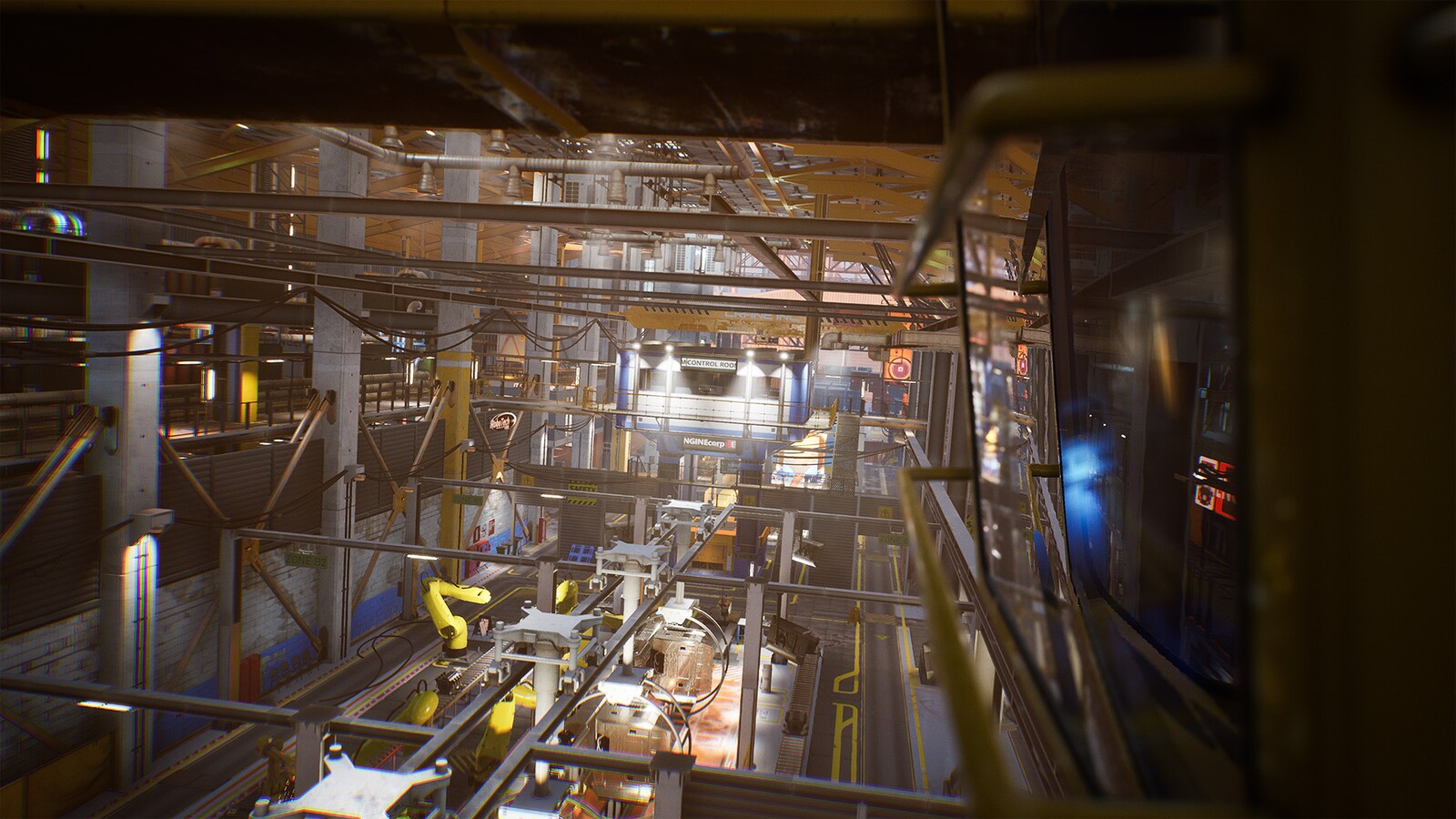
I just found this new permanently free package on the UE4 Marketplace. Downloading it now but it looks like an amazing pack for industrial / factory interior maps.

Factory Environment Collection


854 unique meshes!


There's another new permanently free pack up too.


I might have to use that croc somewhere.

Sunday, 16 August 2020

DM Titan Fortress

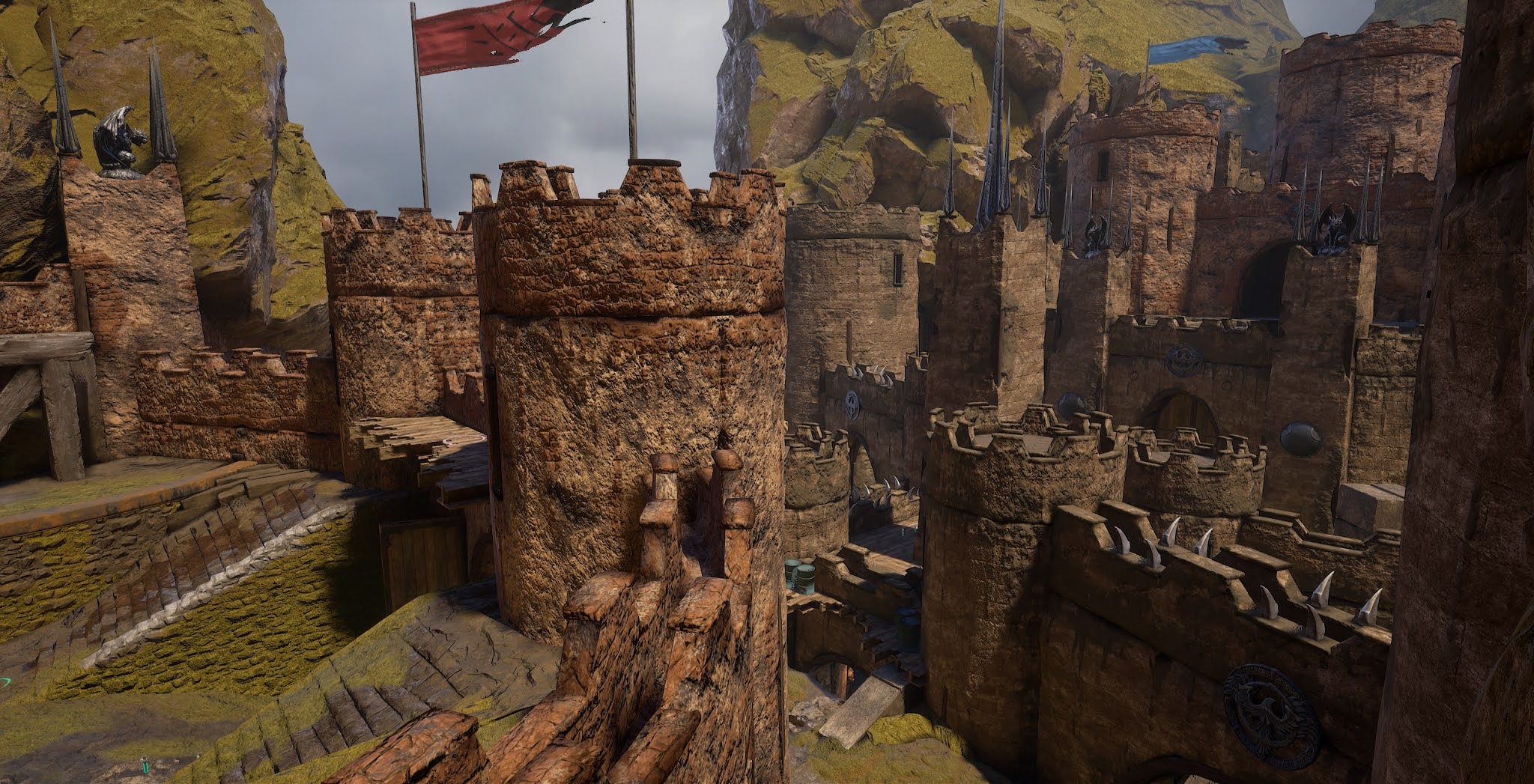
 I've been working for a while on a large new deathmatch map, tentatively named Titan Fortress.

To keep the filesize down I decided to mostly use assets from CTF-TitanPass. I started with 2 meshes (mirrors of each other) that make up the ground in TitanPass mid and added castle wall / tower assets from the UE4 Vehicle Game demo.

After trying a bunch of different things and finding the filesize kept getting too big very quickly I eventually decided to use several more ground meshes as well as the "skybox" / background setup from TitanPass too. That reduced the filesize significantly but makes the map more similar to TitanPass than I wanted, hence the name. If you're very familiar with TitanPass you'll definitely get deja-vu on this map.

Then I made a landscape material and a few custom ground meshes. I also added some odds and ends from other sources. Barrels, gargoyles, banners, metal spikes/spires and so on.

Here are some screenshots showing progress made so far.


The lower middle parts of the map probably won't change too much from what's in the screenies above but I'm still working on blocking out the layout and meshing behind the highest walls on both sides of the map.

Let me know what you think!

Saturday, 8 April 2017

PSK to OBJ Conversion Script

Just a quick post to share a little psk_to_obj python script Scoob (the author of Elimination) whipped up for me that makes porting meshes from older UT games with XTXP's UT4 Converter much easier.

https://drive.google.com/open?id=0B0TfHeypIQIaY0JXMUZTaXB1Ync

I've tested it fairly extensively on UT 2k4 meshes under Win 10 and it's worked perfectly for me in all of my tests.

Usage:

You need to have python installed.
  • Run the Converter program as usual.
  • Import all the textures and "Make Materials" for them. This must be done first or the materials won't be automatically applied when you import the meshes.
  • Once Converter is done drop a copy of the psk_to_obj python script into the folder where Converter put the *.psk meshes.
  • Double click on the psk_to_obj script.
  • Wait a few seconds for the script to finish.
  • Open the UT4 editor, go into the content browser and "Import" all the *.obj files.

You'll now have all the meshes in UT4 ready to use. You may wind up with some missing materials (the ones that weren't just simple textures in the old engine) but for the majority of maps and meshes most of the materials will be there and automatically applied to the meshes.

A big thumbs up and a thank you to @Scoob for writing this script!