Showing posts with label UT4. Show all posts

Sunday, 20 December 2020

DM-Laputa Rework

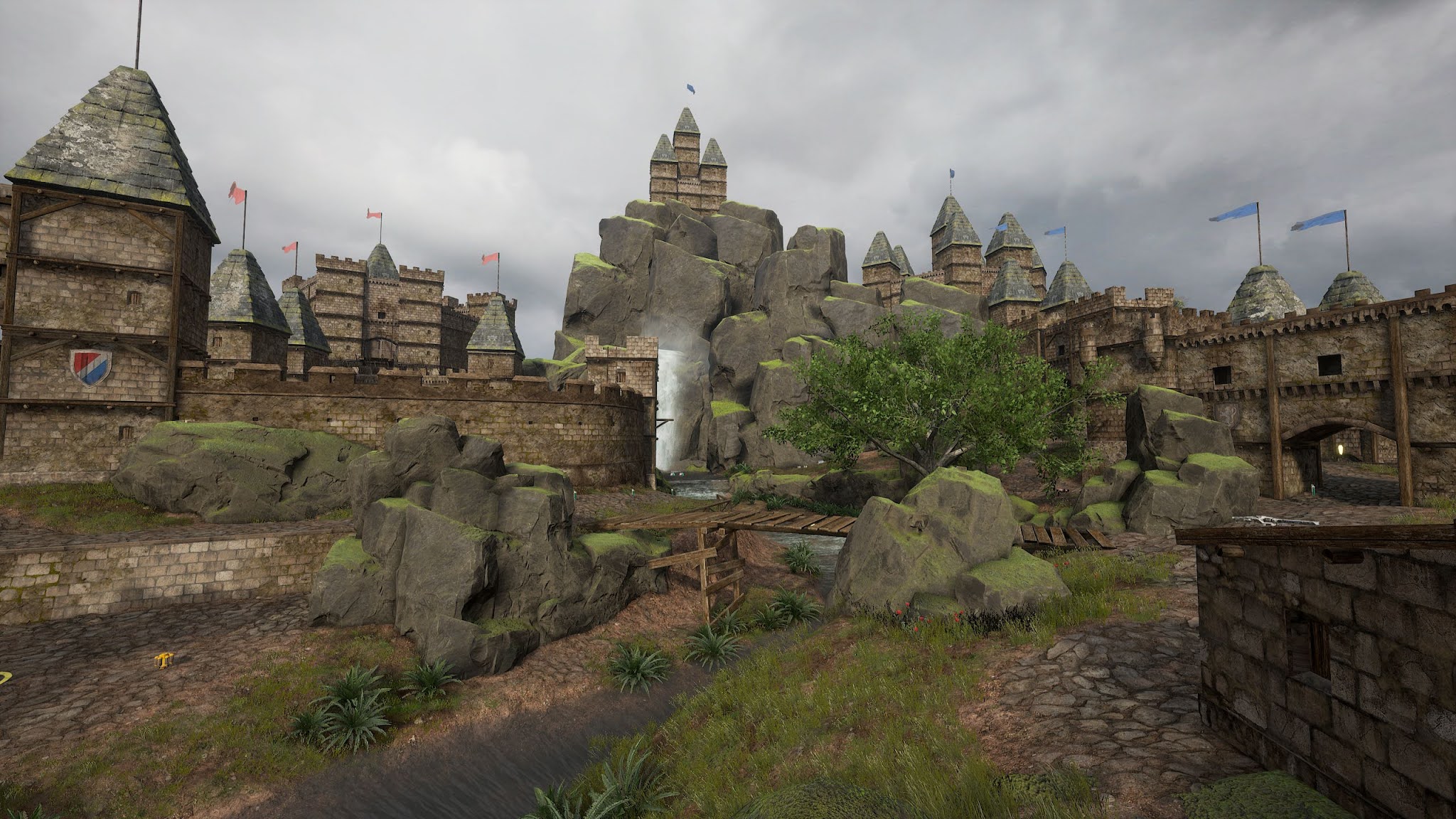
 The last few weeks I've been doing a major rework of my original map DM-Laputa.


No that's not Spanish. The name was inspired by the anime movie  "Laputa: Castle in the Sky". 

Just about everything has been reworked from layout, item selection / placement and spawns to meshes, materials, textures and emitters. The old version was far too open with great sightlines everywhere so I added a lot of sight blockers (rocks, walls, towers, trees, etc.) to fix that. There's quite a bit more vertical variation too, lots of level changes to make the gameplay more interesting and fun.

There are climbable (walkable actually) ladders in a few places and don't forget to try some barrel racing.

I'm waiting on feedback from a few testers before releasing a new version to the public but hope to release one before Christmas. Anyhow, way too much changed to easily list most of it here, so here are a bunch of screenshots.


Sunday, 6 September 2020

September free for the month

 September has been a good a month for free UE4 marketplace asset packages. Besides the two mentioned in my previous post, the September "free for the month" packages were released a little later. I plan to use two of them.

First there's Bunker, a nice, very modular set of meshes for making underground bunkers.


https://www.unrealengine.com/marketplace/en-US/product/bunker

It can be installed on Unreal Engine 4.16 or higher and uses very simple materials so it's quite easy to down port to a lower engine version like 4.15.0 for Unreal Tournament 4.

Packing the demo map in UT4 filesize comes in at over 1.1GB but that's with a lot of 4k and 2k textures. By simply LoD biasing to reduce texture sizes to 2k/1k I got it down to a little over 120MB with not much loss of visual quality. Packing the metallic, roughness and ao textures into MRA maps would reduce it even further.


The other new package is Starsphere. Something that is very lacking in UT4. Similar to the skysphere blueprint only for space skies and more versatile. 

https://www.unrealengine.com/marketplace/en-US/product/starsphere

This is a very small but quite good package available for UE4 4.12+ (I wish I'd noticed that before porting it by hand from 4.25 to 4.15). Besides the many adjustable parameters for stars, it has parameters for things like space dust, blackholes, novas, Saturn and the Sun. There is also a planet blueprint with panning textures that make the planets look like they're rotating with different speeds for surface and clouds, have atmospheres and includes textures for Venus, Earth and Mars.

Friday, 28 August 2020

Factory Environment

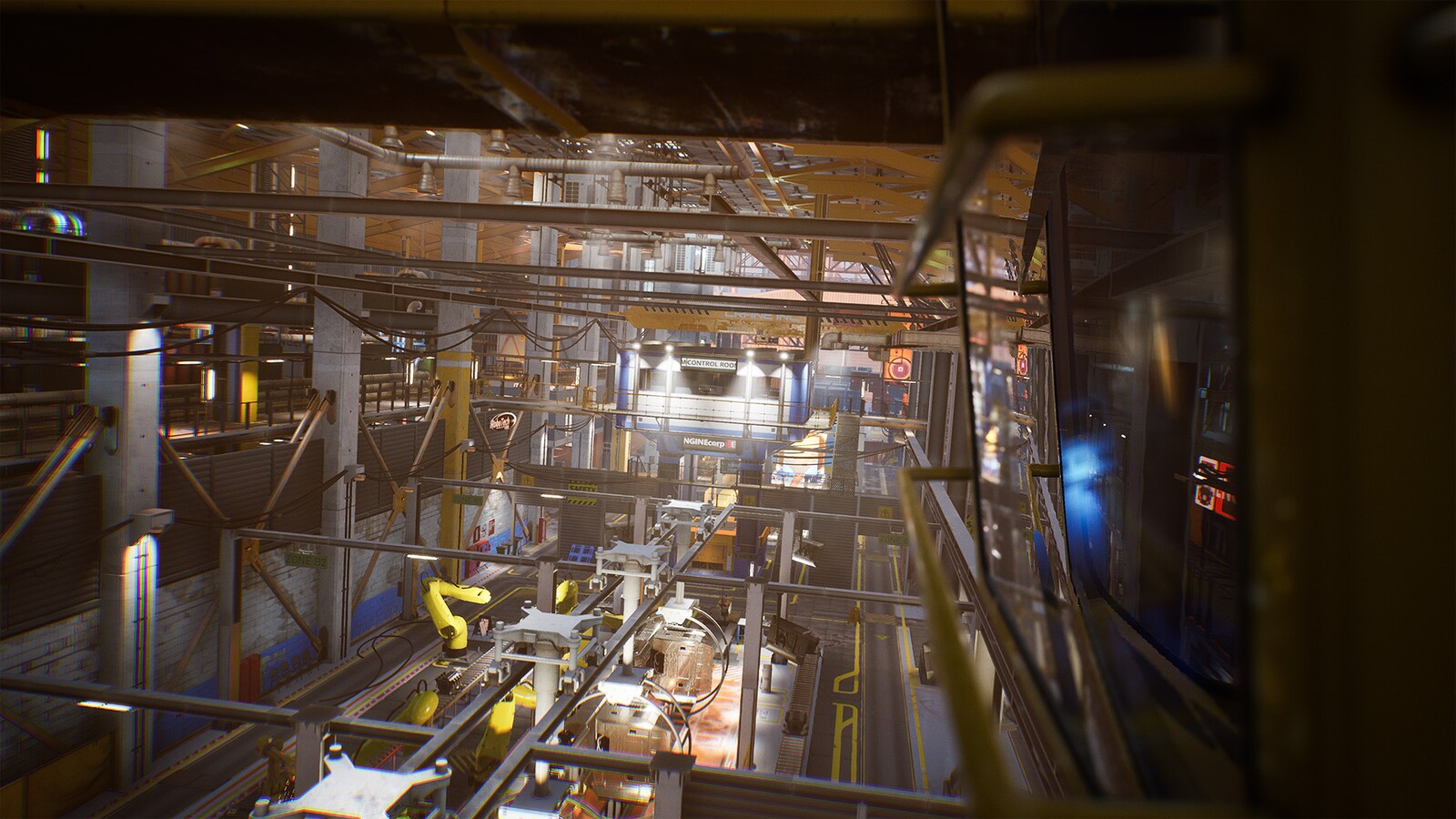
I just found this new permanently free package on the UE4 Marketplace. Downloading it now but it looks like an amazing pack for industrial / factory interior maps.

Factory Environment Collection


854 unique meshes!


There's another new permanently free pack up too.


I might have to use that croc somewhere.

Sunday, 16 August 2020

DM Titan Fortress

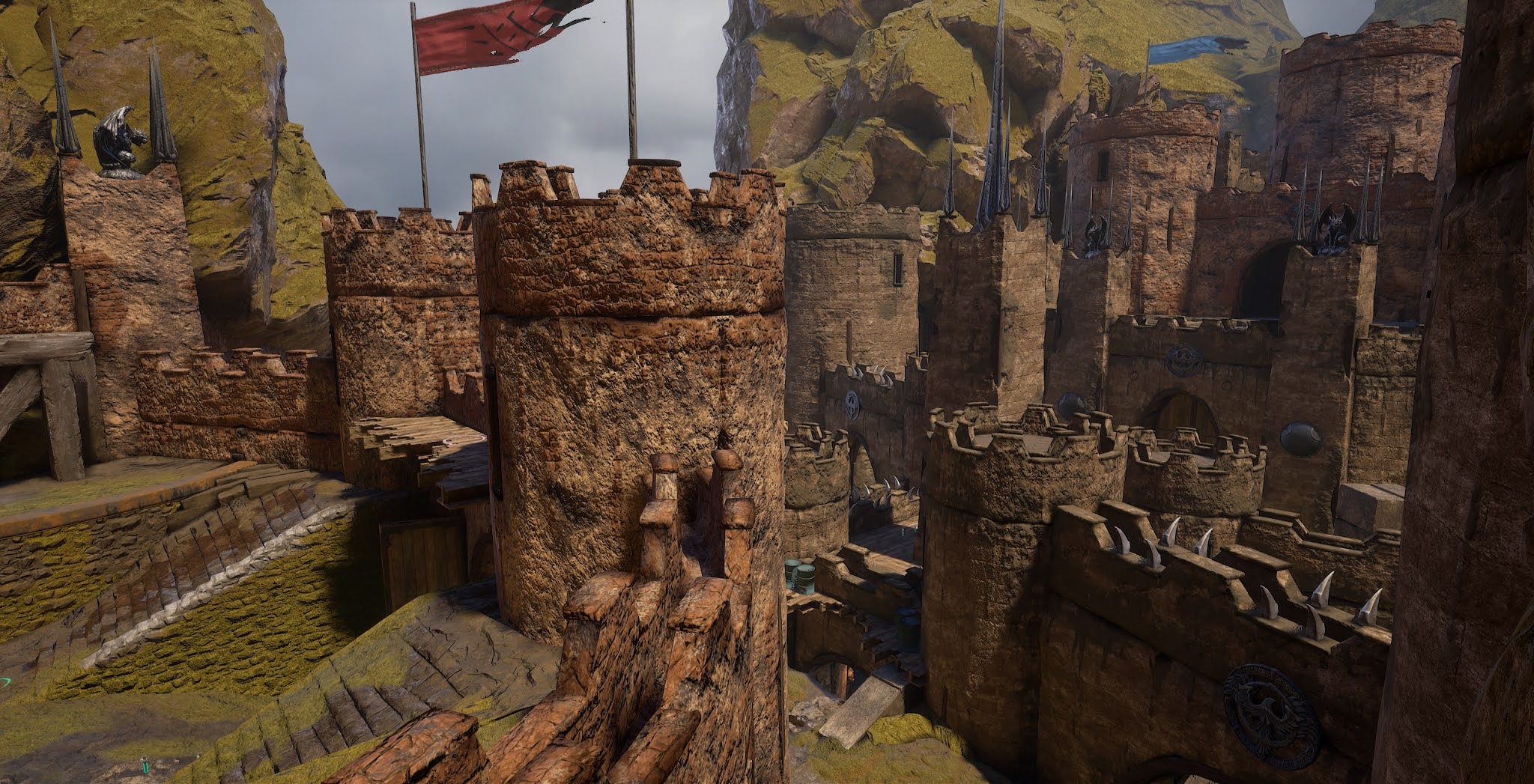
 I've been working for a while on a large new deathmatch map, tentatively named Titan Fortress.

To keep the filesize down I decided to mostly use assets from CTF-TitanPass. I started with 2 meshes (mirrors of each other) that make up the ground in TitanPass mid and added castle wall / tower assets from the UE4 Vehicle Game demo.

After trying a bunch of different things and finding the filesize kept getting too big very quickly I eventually decided to use several more ground meshes as well as the "skybox" / background setup from TitanPass too. That reduced the filesize significantly but makes the map more similar to TitanPass than I wanted, hence the name. If you're very familiar with TitanPass you'll definitely get deja-vu on this map.

Then I made a landscape material and a few custom ground meshes. I also added some odds and ends from other sources. Barrels, gargoyles, banners, metal spikes/spires and so on.

Here are some screenshots showing progress made so far.


The lower middle parts of the map probably won't change too much from what's in the screenies above but I'm still working on blocking out the layout and meshing behind the highest walls on both sides of the map.

Let me know what you think!

Saturday, 8 April 2017

PSK to OBJ Conversion Script

Just a quick post to share a little psk_to_obj python script Scoob (the author of Elimination) whipped up for me that makes porting meshes from older UT games with XTXP's UT4 Converter much easier.

https://drive.google.com/open?id=0B0TfHeypIQIaY0JXMUZTaXB1Ync

I've tested it fairly extensively on UT 2k4 meshes under Win 10 and it's worked perfectly for me in all of my tests.

Usage:

You need to have python installed.
  • Run the Converter program as usual.
  • Import all the textures and "Make Materials" for them. This must be done first or the materials won't be automatically applied when you import the meshes.
  • Once Converter is done drop a copy of the psk_to_obj python script into the folder where Converter put the *.psk meshes.
  • Double click on the psk_to_obj script.
  • Wait a few seconds for the script to finish.
  • Open the UT4 editor, go into the content browser and "Import" all the *.obj files.

You'll now have all the meshes in UT4 ready to use. You may wind up with some missing materials (the ones that weren't just simple textures in the old engine) but for the majority of maps and meshes most of the materials will be there and automatically applied to the meshes.

A big thumbs up and a thank you to @Scoob for writing this script!

Wednesday, 17 August 2016

UT4 Editor - Using Blueprint Skewmesh

Among the more useful new features in the UT4 Editor are skewmesh blueprints. There are 3 types of skewmesh blueprints, BP_SkewMeshX, BP_SkewMeshY and BP_SkewMeshZ.


What these blueprints do is take a mesh and allow you to move one end of it in any direction (up or down and to either side) around one of the 3 axis (X, Y or Z). Skews are extremely handy for aligning trim, wall meshes and other modular meshes along angles they weren't designed to fit. They don't solve every mesh alignment problem but they do help a lot.

Anyhow like they say a picture is worth a thousand words so here are several thousand words worth.

This first is a BP_SkewMeshY with the default mesh (a Liandri assets pillar/column) assigned to it.


You can change the mesh your skewmesh is operating on in the details panel. Here I changed it to use one of the Liandri assets floor trim meshes.


And here's another an example of that mesh zoomed in close so you can see the seam where the beveled edges of two meshes (one skewed,  one not) meet. The top part looks a little funny but that's a problem with material alignment on that particular mesh, not with mesh alignments which are perfectly lined up with each other.


Here are two instances of a floor panel mesh. The one on the left is by itself (not skewed). The one on the right is another instance of the same mesh inside a BP_SkewMeshY. Notice the transform handle named "End" to the right of the skewmesh. That's the transform gidget we use to move that end of the mesh around. This is quite similar to selecting and moving surfaces with the BSP editing tools.


Next, I've pulled the mesh upwards to make a ramp and added another instance of the mesh to the right. Notice how the edges of the skewed mesh align perfectly with the other meshes... Unlike when trying to get the same look by rotating and/or scaling the same mesh. They also light better and have fewer problems with z-fighting too.


Finally, here's the same skewmesh skewed to 45 degrees to one side rather than up. If I'd wanted an angled ramp, I could have skewed it both up and to the side at the same time.


There are some problems with various materials on skew meshes (they look fine in editor but show the default checkerboard grid material in game) but you can work around that by merging meshes. You can merge just a single skewed mesh or multiple meshes (both skewed and not skewed). Merging probably helps with performance too.

In case anyone wants to take a closer look at similar mesh alignment seams in-game, the map in the screenshots is DM-Nitro.

Tuesday, 17 February 2015

UT4 - Spam Online

I've been playing quite a lot of UT4 (Unreal Tournament 4 pre-Alpha) lately. While the game is still early in development the core gameplay mechanics are coming along and starting to give us a pretty good idea of what we can expect in the end.

I'm not sure I'm going to like the final result. The thing I liked most about the original UT is it was what I consider an inbetween game, a well balanced game that didn't favour one playstyle over another.

It wasn't just another twitch reaction game with absurd movement like Quake, nor was it a too realistic slow paced camper game like CoD.

It was in between those extremes, a game you could be successful at playing either way.

It wasn't all about long range instant hit weapons like the rifle, nor was it all about close ranged in your face fighting with rockets and flak.

In fact the best strategy was often playing to an opponent's weaknesses. If your opponent preferred close combat, fight him at medium or long range with sniper and shock. If he preferred long range combat, take the fight to him at close range with rockets and flak.

Then you had the mini, a terrific midrange weapon, very good at short range and as a finishing weapon but not so good at point blank range and weak at long range. And of course the extremely versatile shock which has always been UT's signature weapon and a favourite of better / more experienced players in almost any situation at almost any range.

Ever since UT2k3 the game has moved towards a Quake-like twitch game where the one thing that matters above all else is reaction time. Most of the time ping, hardware and configuration settings make more of a difference than actual skill. The guy with the lower ping and the least video/input lag wins.

In the original game you could compensate for that with various different strategy and tactics. And the guy with the ping/hardware advantage couldn't just fly across the entire map grabbing all the powerups in under 5 seconds either.

Now you can cross the entire map much more quickly. Strategy is pretty much just "whore the armor and spawn rape". If you control the powerups nothing else really matters much. And tactics have devolved to the platform jumper level of just moving quickly and unpredictably while spamming the fire button.

The shock rifle is insane right now. High damage, high rate of fire and extremely spammable. It's the only weapon that's good at any range and in virtually all situations. In fact about the only situation where shock isn't clearly best / tied with the best is at point blank range where flak beats it... But that'll likely change soon since all the shock whores are crying to nerf the flak.

Just about every match on every map is one giant spamfest with the better, more experienced players spamming shock (or maybe Flak) and everyone else spamming whatever they can get their hands on and get a few shots off with before dying again.

Online player numbers were at their highest with the original game and have been dropping ever since. Since the original game had the highest player counts why do they continue taking the game in a direction that reduces player numbers rather than going back to it's more successful roots?

I don't care for the direction the game seems to be taking. It's turning into a 3d platform jumper with guns.

How about putting some of the skill back into it?

Monday, 26 January 2015

Unreal Tournament 4 (UT4) Framerate Optimization

My computer is getting old. When I built it, it only cost 500 dollars (CDN) but it was a pretty good gaming rig for the money back then. That was a few years ago though, it's certainly not a very good gaming machine now, especially not for playing a fast paced new shooter like Unreal Tournament 4 pre-Alpha.

My computer specs:

ASUS M4N68T-M motherboard
AMD Athlon II X3 440 CPU
8G RAM 2x4 DDR3 1600
Radeon 5670 512M DDR5
Samsung Evo 840 120G SSD
150G WD Caviar HD

The original machine only had 4G of RAM and no SSD, those are recent upgrades. I also upgraded the OS from XP to 8.1 (UT4 does not work on XP).

Initially I found UT4 to be practically unplayable. It almost seemed ok with nothing going on but stuttered badly whenever any fighting was going on. My FPS would start bouncing all over the place. I was having big trouble hitting anything and just about every time I died was a WTF moment. Even just playing bots in a local game was extremely frustrating and attempting to play online was much worse.

So I went looking for config tweaks to improve FPS stability, reduce stuttering and input lag and make the game playable. I soon found a thread on Epic's UT4 forums suggesting a console command that turns off ambient lighting.

r.SimpleDynamicLighting 1

It helped a lot, practically doubled my FPS, but the maps were very dark, some so dark I really couldn't see much of anything.  So I went looking for a console command to brighten the maps up and found this.

r.ExposureOffset 3

Some maps are very bright with r.ExposureOffset 3 but a few were still too dark in places with it only set to 2. I'd rather have a few maps a bit too bright than any too dark so I went with 3.

These can also be set in Engine.ini by adding the following lines under [SystemSettings]

r.SimpleDynamicLighting=1
r.ExposureOffset=3

These settings do make it harder to nail shock combos at range because without dynamic lighting you don't get the reflected glow along walls and floor that helps you gauge exactly where the moving core is.

Source https://forums.unrealtournament.com/archive/index.php/t-12691.html

Further down in the same forum thread a user named furiio posted his ini settings. I tried his settings later with  r.SimpleDynamicLight=1 and a few minor changes that seemed better for my hardware. That improved FPS and input lag a little more. They didn't increase my FPS but helped with FPS stability. My framerate didn't drop quite as low, nor nearly as often as before. Then after playing with that for a couple days I tried turning dynamic lighting back on tonight (r.SimpleDynamicLighting=0) and played a few local games.

The game feels smooth enough in local games, it looks better and it's easier to judge distances for shock combos with dynamic lighting on. But there wasn't anyone online to test it against so I'll have to wait till tomorrow to see if it's smooth enough for online play. I sure hope so, it'd be nice to be able to gauge distance on combos better.

Nope no luck with that, I had to turn dynamic lighting back off. The game just wasn't smooth enough for online play with it on.

I still can't play in the smaller, tighter maps with more than 4 or 5 players (including myself). It turns into a massive spamfest which kills my FPS and induces enough input lag that everything gets sort of wobbly. It feels like I'm dragging the screen around behind me and it doesn't want to follow me. I can't move very well and I can't hit the broad side of a barn unless it's not moving. But some of the larger maps are playable even with 8 or 10 players, I can move ok, I can hit other players and I say WTF a whole lot less.

My favourite maps so far are DM-Canon, DM-SidCastle and DM-DeckTest.


The following are furiio's settings.

\UnrealTournament\Saved\Config\WindowsNoEditor\Engine.ini:

[/Script/UnrealTournament.UTGameEngine]
bFirstRun=False
FrameRateCap=118
FrameRateMinimum=118

[SystemSettings]
r.HZBOcclusion=0
r.AmbientOcclusionLevels=0
r.BloomQuality=0
r.DepthOfFieldQuality=0
r.SSR.Quality=0
r.DetailMode=0
r.LensFlareQuality=0
r.MaxAnisotropy=0
r.oneframethreadlag=1
r.simpledynamiclighting=1
r.LightShaftQuality=0
r.RefractionQuality=0
r.ExposureOffset=0.3
r.ReflectionEnvironment=0
r.EarlyZPass=0
r.Atmosphere=0
r.Shadow.MaxResolution=2
r.Shadow.MinResolution=2
ShowFlag.DepthOfField=0
ShowFlag.AntiAliasing=0
ShowFlag.LensFlares=0
ShowFlag.Bloom=0
ShowFlag.AmbientOcclusion=0
ShowFlag.TemporalAA=0
ShowFlag.DynamicShadows=0
ShowFlag.MotionBlur=0
ShowFlag.fog=0
ShowFlag.Tessellation=0
ShowFlag.LightComplexity=0
TEXTUREGROUP_World=(MinLODSize=1,MaxLODSize=2,LODBias=0,MinMagFilter=aniso,MipFilter=point)
TEXTUREGROUP_WorldNormalMap=(MinLODSize=1,MaxLODSize=2,LODBias=0,MinMagFilter=aniso,MipFilter=point)
TEXTUREGROUP_WorldSpecular=(MinLODSize=1,MaxLODSize=2,LODBias=0,MinMagFilter=aniso,MipFilter=point)
TEXTUREGROUP_Character=(MinLODSize=1,MaxLODSize=4,LODBias=0,MinMagFilter=aniso,MipFilter=point)
TEXTUREGROUP_CharacterNormalMap=(MinLODSize=1,MaxLODSize=4,LODBias=0,MinMagFilter=aniso,MipFilter=point)
TEXTUREGROUP_CharacterSpecular=(MinLODSize=1,MaxLODSize=4,LODBias=0,MinMagFilter=aniso,MipFilter=point)
TEXTUREGROUP_Weapon=(MinLODSize=1,MaxLODSize=64,LODBias=0,MinMagFilter=aniso,MipFilter=point)
TEXTUREGROUP_WeaponNormalMap=(MinLODSize=1,MaxLODSize=64,LODBias=0,MinMagFilter=aniso,MipFilter=point)
TEXTUREGROUP_WeaponSpecular=(MinLODSize=1,MaxLODSize=64,LODBias=0,MinMagFilter=aniso,MipFilter=point)
TEXTUREGROUP_Vehicle=(MinLODSize=1,MaxLODSize=256,LODBias=0,MinMagFilter=aniso,MipFilter=point)
TEXTUREGROUP_VehicleNormalMap=(MinLODSize=1,MaxLODSize=256,LODBias=0,MinMagFilter=aniso,MipFilter=point)
TEXTUREGROUP_VehicleSpecular=(MinLODSize=1,MaxLODSize=256,LODBias=0,MinMagFilter=aniso,MipFilter=point)
TEXTUREGROUP_Cinematic=(MinLODSize=1,MaxLODSize=128,LODBias=0,MinMagFilter=aniso,MipFilter=point)
TEXTUREGROUP_Effects=(MinLODSize=1,MaxLODSize=128,LODBias=0,MinMagFilter=linear,MipFilter=point)
TEXTUREGROUP_EffectsNotFiltered=(MinLODSize=1,MaxLODSize=128,LODBias=0,MinMagFilter=aniso,MipFilter=point)
TEXTUREGROUP_Skybox=(MinLODSize=1,MaxLODSize=256,LODBias=0,MinMagFilter=aniso,MipFilter=point)
TEXTUREGROUP_UI=(MinLODSize=1,MaxLODSize=256,LODBias=0,MinMagFilter=aniso,MipFilter=point)
TEXTUREGROUP_Lightmap=(MinLODSize=1,MaxLODSize=8,LODBias=0,MinMagFilter=aniso,MipFilter=point)
TEXTUREGROUP_Shadowmap=(MinLODSize=1,MaxLODSize=2,LODBias=0,MinMagFilter=aniso,MipFilter=point,NumStreamedMips=3)
TEXTUREGROUP_RenderTarget=(MinLODSize=1,MaxLODSize=128,LODBias=0,MinMagFilter=aniso,MipFilter=point)
TEXTUREGROUP_MobileFlattened=(MinLODSize=1,MaxLODSize=2,LODBias=0,MinMagFilter=aniso,MipFilter=point)
TEXTUREGROUP_Terrain_Heightmap=(MinLODSize=1,MaxLODSize=2,LODBias=0,MinMagFilter=aniso,MipFilter=point)
TEXTUREGROUP_Terrain_Weightmap=(MinLODSize=1,MaxLODSize=2,LODBias=0,MinMagFilter=aniso,MipFilter=point)

[/Script/Engine.Engine]
DisplayGamma=4
MinDesiredFrameRate=999

[TextureStreaming]
UseDynamicStreaming=false


\UnrealTournament\Saved\Config\WindowsNoEditor\GameUserSettings.ini:

[ScalabilityGroups]
sg.ResolutionQuality=100
sg.ViewDistanceQuality=0
sg.AntiAliasingQuality=0
sg.ShadowQuality=0
sg.PostProcessQuality=0
sg.TextureQuality=0
sg.EffectsQuality=0

Monday, 8 September 2014

UT 2014 News - Gameplay Video

The original Unreal Tournament (often referred to as UT99) was the first FPS game I really liked. I'd tried Quake, Quake 2 and 3 but I didn't much care for them. The first time I played UT I was hooked.

UT99 finally gave me a reason to put my beloved old Amiga 4000 to rest and buy my first PC clone.

I played UT99 until UT2k3 came out. I never liked 2k3 for a number of reasons but by far the biggest reason was double jumping. I hated double jumping. UT2k4 promised a return to a more UT99 style of gameplay but failed to deliver. Though 2k4 was in many ways an improvement over 2k3 it still had double jumping and I still hated double jumping.

When UT3 came out I wasn't going to be fooled again. This time my mind was made up beforehand, if double jumping was in the game I wouldn't be buying it. I could have lived with it being a mod like it was in UT99, or even an option as long as the default was off and most maps were designed to be played without double jumping. But double jump was in, on by default and all the maps were made for it and so I was out.

Then earlier this year the news broke that Epic was going to start developing a new version, UT 2014, only this time in conjunction with community developers (mappers, modders, etc.) and asking for input from the public on everything. I was quite skeptical but there was a nice looking artistic concept screenshot plus they had some very interesting things to say that caught my interest in spite of my skepticism and gave me reason to think they just might get it right this time. I made a post about that here.

Since then pre-alpha builds of the game have been released periodically. These builds are available to anyone for gameplay testing. Keep in mind these are very early builds (hence the pre-alpha designation) with pretty much everything subject to change. The maps are just basic BSP layouts without any texturing, static meshes, fancy lighting, or other atmospheric touches. Right now it's all about nailing down basic gameplay mechanics, the fancy stuff will come later.

Here's a link to Epic's official thread for downloading the latest pre-alpha build

Note you do have to register with Epic's forums in order to download the pre-alpha.

A gameplay video has also been released showing legendary Quake player Fatal1ty playing a couple different maps.


After watching the video I have to say gameplay looks extremely good at this point. I was especially pleased to note that double jumping doesn't seem to be in the game at all so far (YEA!!).

I hope it stays that way, if it does I'll definitely be checking it out once development is a little further along.

But if they put double jumping back in, my interest in UT 2014 will end right then and there. I'm pretty sure most UT99 fans will feel the same way too.

Finally there's a UT Movement Mechanics Design thread over at Epic's forums. This is the place for all us UT99 fans to make our voices heard and let Epic know just how badly double jumping ruined our game.

Saturday, 26 July 2014

Unreal Tournament 2014

A few months ago Epic games announced they'd started working on Unreal Tournament 2014 as a free to play, moddable first person shooter developed with players.

Then a couple days ago they released a video segment talking about the direction the game will be taking and showing off some artwork produced by art director Chris Perna in UnrealEd (not really a playable level, more of an artistic style and proof of concept type thing).


It looks great! A nice clean, realistic look and though the video segment below is quite long (49 minutes) they talk about a number of interesting things.

One of the more radical concepts being that though the game itself will be free, players will be able to create content (mods, levels, meshes, etc.) and sell them in a "marketplace" where the proceeds will be split with Epic.


While it all sounds interesting I have three major concerns

1. Hardware requirements, the Unreal Tournament series has always had very demanding hardware requirements, especially if you were playing anywhere near a hardcore competitive level. A "free" game with high hardware requirements for smooth play will likely get terrible word of mouth peer reviews from players.

2. Double jumping was the main factor that hordes of original UT (1999 version) fans hated which ultimately killed UT 2K3 and beyond for most of us. Yet double jumping is specifically mentioned in the video as if it's an integral part of the game. Big mistake, if they want the original UT fan base to take the 2014 version seriously they need to get rid of double jumping, or at the very least make it a mutator, not part of the default game.

Then again, it's a double edged sword. If double jumping isn't included, that'd probably upset nearly as many potential players as having it in would. Either way it'd be nice for both groups to know if it's going to be an FPS shooter or a 3D platform jumper with guns.

3. Unreal Engine 4 has recently been made available to developers for a $19.00 per month subscription fee. I sure hope they aren't expecting everyone who's thinking about making maps for UT 2014 to pay $19.00 a month just to get access to the map editor. If that's the case (and I'm pretty sure it is) they should just come right out, say so and admit licensing the editor is their real projected revenue stream.