Monday, 21 March 2022
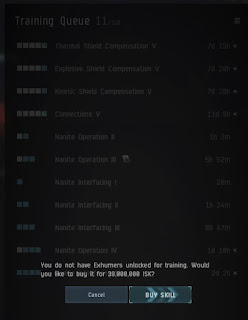
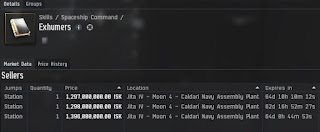
About those Exhumers skill books
Sunday, 1 August 2021
Return to Eve Online
I'm Back! After a 6 year hiatus from Eve Online I've started playing again (albeit far more casually).
A few months ago one of my Unreal Tournament friends was asking some questions about playing the market in Eve. That got me curious about my old accounts so I logged in to one of them to check it out. One thing led to another from there. Next thing I knew I was PLEXing all my accounts (with PLEX I already had from before) and restarting training queues.
One of the first things I noticed was that PLEX had changed. What used to be 1 single PLEX had been broken up into 500 smaller PLEX. I also noticed accounts now had Alpha and Omega states with severe limits on training and usable skills in Alpha state and requiring spending 500 PLEX a month for Omega state to lift the restrictions.
I posted a bunch of orders all over hisec / lowsec and even a few places in nullsec/deadspace/pochven to buy PLEX at around 2.2-2.3 million each. A lot of those orders got filled within days. If I'd realized at the time that PLEX was currently at the low end of the cycle I would have bought a whole lot more than the 60,000 or so I wound up with!
I also noticed broker fees and taxes had gone way up and there were player owned market hubs in many places with far lower fees and taxes than the old familiar NPC market hubs which I'd spent so much time and ISK on improving faction standings for to lower broker fees. Not being sure what to think of that or how it would affect my market strategy I decided to play it safe and not post many orders until I had a better idea of how the markets had changed.
I really didn't care for the player owned market hubs for multiple reasons which for the sake of brevity I won't get into here. However I was pretty much forced to use them in order to compete on buy orders.
About a month later, after a 2nd round of PLEXing accounts I started posting some more orders to test a few ideas and check out how the markets had changed. I bought a bunch of multiple training certificates to get 2 or 3 characters training new skills on most accounts too.
That was around the time I noticed the Margin Trading skill was gone, replaced by a new skill Advanced Broker Relations. That combined with the changes to broker fees and taxes made a big difference in how many orders I could post for how many items, at what prices and how often I could modify them. I didn't mind that at all it actually meant you had to have a strategy and post sell orders at sensible prices. Those who just mindlessly played the .01 ISK game with constant undercutting would very quickly be losing ISK.
Another month and another round of PLEXing accounts later I felt I had a pretty good handle on how things had changed and a strategy in mind for it. I spent an hour or two a day for a couple weeks posting lots of buy and sell orders and disrupting markets everywhere.
Then a few days ago (around the 26th or 27th of July) everything changed again... I was posting / modifying a few orders when I noticed the broker fee was well under 1%... Looking more closely I realized the order was on Jita 4-4 rather than Perimeter. At first I thought it must be a bug or glitch but I soon realized it was the same on all NPC hubs. If I had 0 standing with the station owning faction the broker fee was 1%, if I had positive standing (which most of my characters do) it was less than 1%. That's terrific, the best news I've had since coming back to Eve! Now when buy orders get filled I post replacement orders on the same old NPC hubs as in the past.
I've pretty much figured out my strategy for the future now. It'll involve getting out of some old markets and into some new ones. I'll probably get into skill point farming soon too, it seems like a very easy source of mostly passive income. All by itself it'd be more than enough to PLEX all of my accounts and add new ones every month.
One final note. One of my characters bought some PLEX on a player owned market hub in Pochven for something like 1.1 million each. The very next day I no longer had access to post on that player owned hub. That's no problem, Ichoriya suits me just fine and after the change to taxes and fees it's cheaper to post orders on Ichoriya anyhow.
Wednesday, 26 May 2021
Unreal Engine 5 and Unreal Tournament 5
Wednesday, 14 April 2021
DM-HeatRay remake
Remake of DM-HeatRay from UT3 for UT4 Pre Alpha.
HeatRay was one of the maps included with the UT3 Demo and a very popular map in UT3. Though I never played UT3, this was one map I kept hearing players wanted in UT4 so I decided to try my hand at converting it.
It turned out pretty good. I'm very happy with the results and really starting to like playing the map myself now.
I mostly used the original meshes and textures though I did change meshes and materials for several decorative props like barrels, trash, trees, grass, ivy vines and ferns. Lighting is very similar to the original too. Layout is identical but scaled up to suit UT4 character scale and movement.
The DarkWalker is decorative only, it is not a vehicle like it was in the UT3 map. I did make a few item pickup changes, placing a redeemer underneath the Darkwalker, replacing Invisibility with Damage Amplifier and replacing 25 armor with 50 armor.
Download here: https://utcc.unrealpugs.com/map/1491-DM-HeatRay
P.S Thanks to Barsam for running the UT3 map through UT4XConverter to extract the original assets for me.
Wednesday, 3 February 2021
FIXED!!!
After years of struggling with severe stuttering, hitching, freezes, etc., etc., and feeling like I'm playing with super high ping most of the time in UT4 I think I've finally found a fix for it.
I've tried multiple hardware upgrades, multiple fresh OS installs and countless tweaks over the years. Many things helped a bit but nothing ever got rid of it entirely. Then last night while researching the issue on Google I ran across a newer ini tweak I'd never heard of before that many players in multiple different UE4 games attribute to fixing similar issues for them.
And it worked for me in UT4 too.
To try the tweak yourself just open your Engine.ini file (found in Documents\UnrealTournament\Saved\Config\WindowsNoEditor) and add the following to it:
[/script/engine.audiosettings]
bDisableMasterEQ=True
Sunday, 20 December 2020
DM-Laputa Rework
The last few weeks I've been doing a major rework of my original map DM-Laputa.
No that's not Spanish. The name was inspired by the anime movie "Laputa: Castle in the Sky".
Just about everything has been reworked from layout, item selection / placement and spawns to meshes, materials, textures and emitters. The old version was far too open with great sightlines everywhere so I added a lot of sight blockers (rocks, walls, towers, trees, etc.) to fix that. There's quite a bit more vertical variation too, lots of level changes to make the gameplay more interesting and fun.
There are climbable (walkable actually) ladders in a few places and don't forget to try some barrel racing.
I'm waiting on feedback from a few testers before releasing a new version to the public but hope to release one before Christmas. Anyhow, way too much changed to easily list most of it here, so here are a bunch of screenshots.
Sunday, 6 September 2020
September free for the month
September has been a good a month for free UE4 marketplace asset packages. Besides the two mentioned in my previous post, the September "free for the month" packages were released a little later. I plan to use two of them.
First there's Bunker, a nice, very modular set of meshes for making underground bunkers.
https://www.unrealengine.com/marketplace/en-US/product/bunker
It can be installed on Unreal Engine 4.16 or higher and uses very simple materials so it's quite easy to down port to a lower engine version like 4.15.0 for Unreal Tournament 4.
Packing the demo map in UT4 filesize comes in at over 1.1GB but that's with a lot of 4k and 2k textures. By simply LoD biasing to reduce texture sizes to 2k/1k I got it down to a little over 120MB with not much loss of visual quality. Packing the metallic, roughness and ao textures into MRA maps would reduce it even further.
The other new package is Starsphere. Something that is very lacking in UT4. Similar to the skysphere blueprint only for space skies and more versatile.
https://www.unrealengine.com/marketplace/en-US/product/starsphere
This is a very small but quite good package available for UE4 4.12+ (I wish I'd noticed that before porting it by hand from 4.25 to 4.15). Besides the many adjustable parameters for stars, it has parameters for things like space dust, blackholes, novas, Saturn and the Sun. There is also a planet blueprint with panning textures that make the planets look like they're rotating with different speeds for surface and clouds, have atmospheres and includes textures for Venus, Earth and Mars.
Friday, 28 August 2020
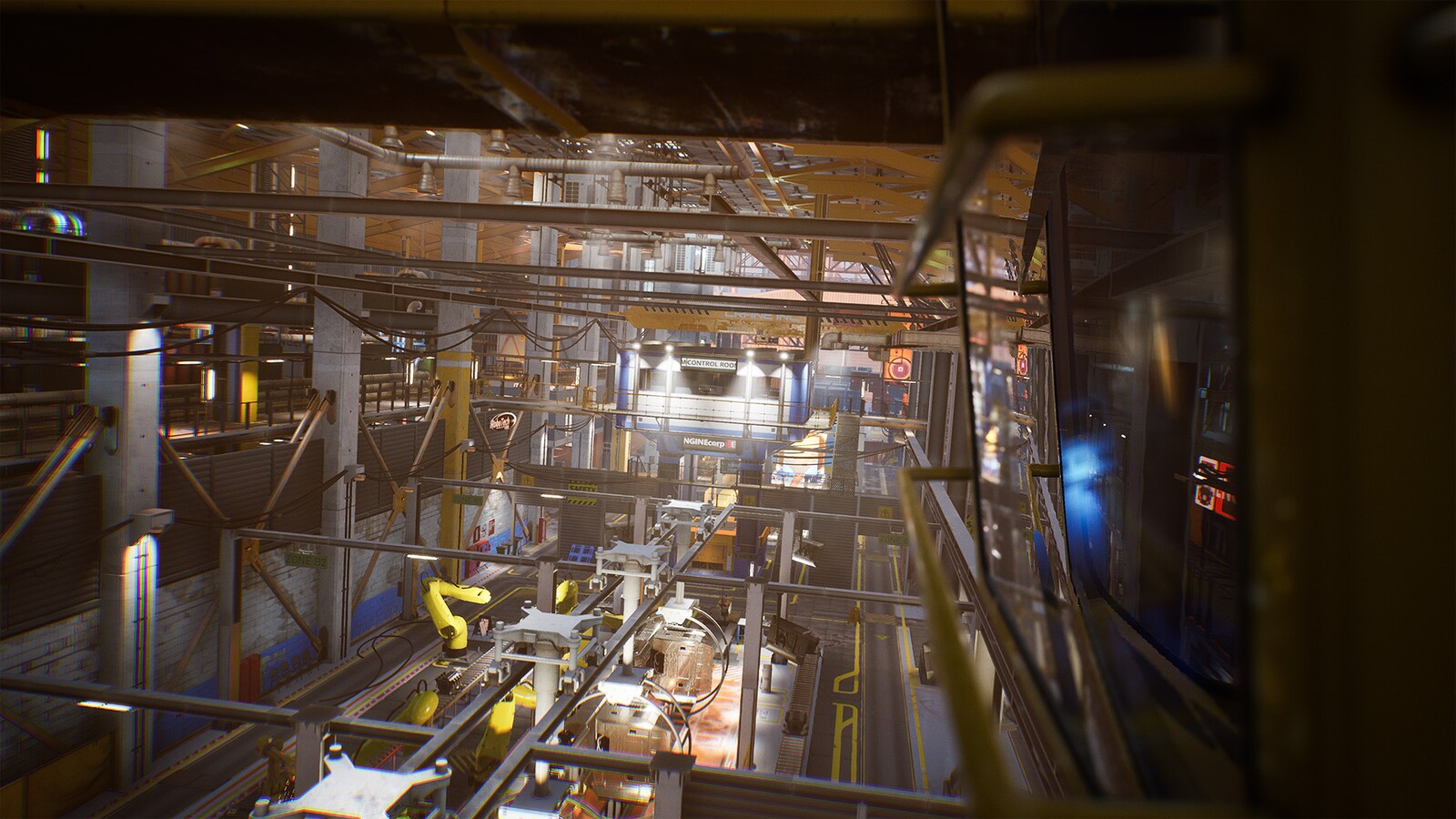
Factory Environment
Sunday, 16 August 2020
DM Titan Fortress
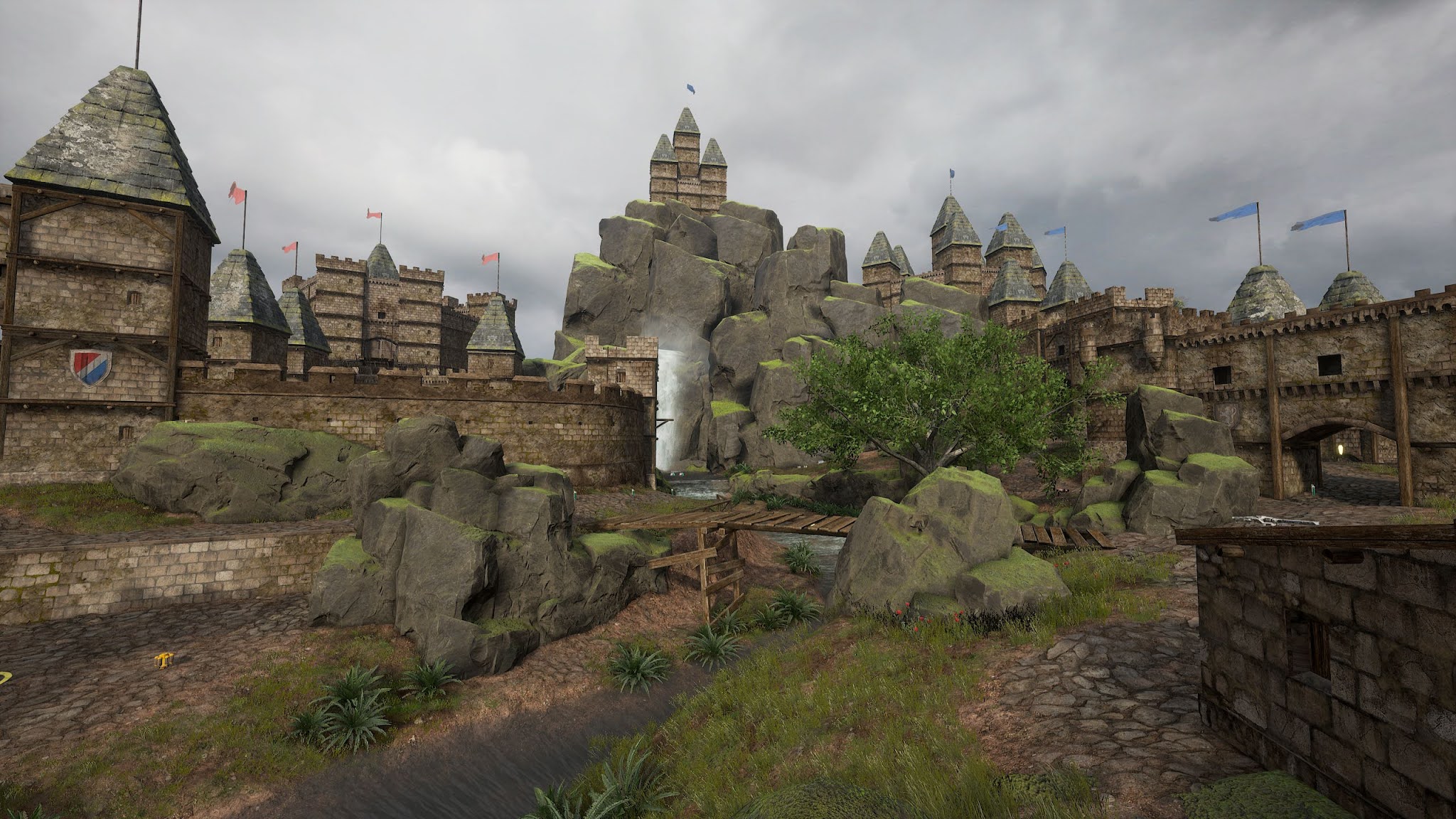
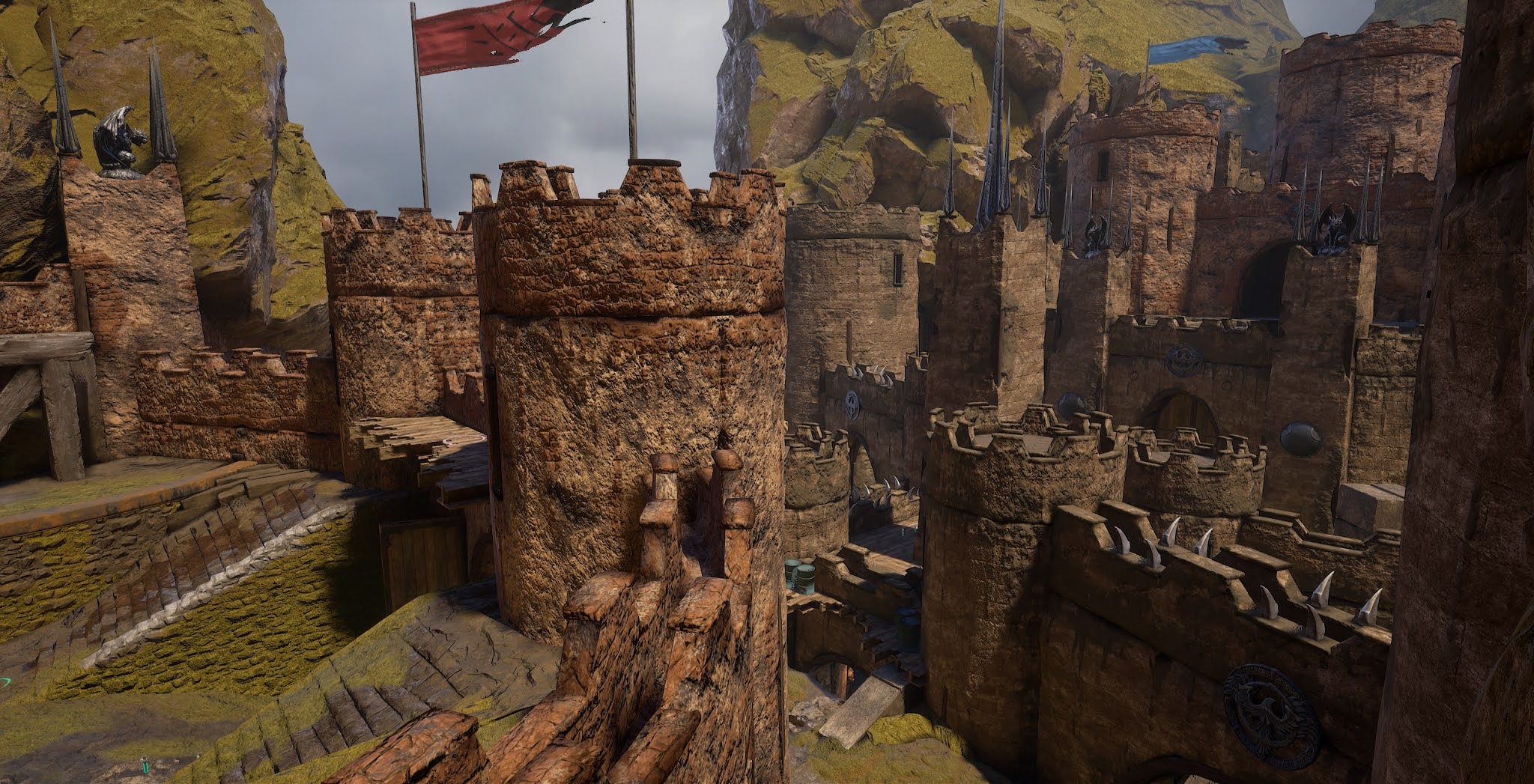
I've been working for a while on a large new deathmatch map, tentatively named Titan Fortress.
To keep the filesize down I decided to mostly use assets from CTF-TitanPass. I started with 2 meshes (mirrors of each other) that make up the ground in TitanPass mid and added castle wall / tower assets from the UE4 Vehicle Game demo.
After trying a bunch of different things and finding the filesize kept getting too big very quickly I eventually decided to use several more ground meshes as well as the "skybox" / background setup from TitanPass too. That reduced the filesize significantly but makes the map more similar to TitanPass than I wanted, hence the name. If you're very familiar with TitanPass you'll definitely get deja-vu on this map.
Then I made a landscape material and a few custom ground meshes. I also added some odds and ends from other sources. Barrels, gargoyles, banners, metal spikes/spires and so on.
Here are some screenshots showing progress made so far.
The lower middle parts of the map probably won't change too much from what's in the screenies above but I'm still working on blocking out the layout and meshing behind the highest walls on both sides of the map.
Let me know what you think!
Monday, 4 November 2019
Stupid Crow
I spent hours last night troubleshooting a very simple blueprint.
That's it, only 4 nodes, nothing at all complicated. But I couldn't figure out why it wouldn't play the sound when I shot it (Event PointDamage) yet worked fine when I bumped into it (OnComponentHit). It made no sense at all.
Then around 4:30 A.M. I finally fixed it...
It turns out the sound was playing the whole time after all. The problem was the sound of the gun I shot it with drowned out the crow caw sound. All I had to do to make it work as intended was add a short .3 second delay between receiving the hit event and playing the sound.
I'd better wait until tomorrow before trying to add a trigger event to make the crow caw whenever a player comes within a certain (configurable) distance of it.
Monday, 21 October 2019
freepbr.com
The best thing about this site is all of the textures are completely free with no watermarks, resolution limits, daily download limits or any other limitations. You can download textures freely as individual zips, with all the textures for a single material in a zip, or you can pay $5.00 for access to 6 large zips (roughly 500-800MB each) containing all the textures for all the materials.
Most texture resolutions are 2048x2048 and/or 4096x4096 but some are odd sizes (2685x2685 for example) that are not powers of 2 and thus can't have mip maps.
Quality is very much a mixed bag, some are pretty good, others really aren't very good at all. Hand adjustment through liberal use of lerp, power and multiply nodes in your materials can make many of the not so good ones look ok too.
Tuesday, 15 October 2019
textures.com
Sunday, 6 January 2019
Shroud comments on UT4
I'd never heard of him before, until the other day when he decided to stream UT4 from my Unreal Carnage Chicago hub. Within minutes there were 6 instances (in spite of my having set maxinstances=4) and about 50 players. The load crashed my poor little 3 core hub.
Anyhow here's a clip of what he had to say about UT4.
https://clips.twitch.tv/FragileSillyUdonFreakinStinkin
Flak and RZE of the UT Team noticed. Right after that they were more active, Flak playing the game and RZE talking about possible mods in Discord, than anyone from Epic has been in over a year.
And another Shroud clip
https://clips.twitch.tv/AmazingHumbleFennelMrDestructoid
In case anyone from Epic reads this, if you ever come back to working on UT4, please fix it so maxinstances=# actually works!
Thursday, 29 June 2017
Permission Granted
I'd already been working on both maps for some time but was unable to find contact info for him until recently.
Thanks again Eric!
DM-Nitro


It mostly uses stock assets with a few custom materials and meshes.
DM-Bishop
Bishop is a larger map that plays well in FFA DM and should be ok for TDM but is too large for Duel.I've moved the 100 armor to the other side of the map and put a 50 armor where the 100 used to be. That should make it play better in TDM though it could use more testing and feedback in TDM.
I've gone for more of an atmospheric, moody and colorful look in Bishop but it still performs very well too. It uses a number of custom assets from several different UE4 demos and asset packages as well as a few assets I made myself.
Notes
Saturday, 8 April 2017
PSK to OBJ Conversion Script
https://drive.google.com/open?id=0B0TfHeypIQIaY0JXMUZTaXB1Ync
I've tested it fairly extensively on UT 2k4 meshes under Win 10 and it's worked perfectly for me in all of my tests.
Usage:
You need to have python installed.- Run the Converter program as usual.
- Import all the textures and "Make Materials" for them. This must be done first or the materials won't be automatically applied when you import the meshes.
- Once Converter is done drop a copy of the psk_to_obj python script into the folder where Converter put the *.psk meshes.
- Double click on the psk_to_obj script.
- Wait a few seconds for the script to finish.
- Open the UT4 editor, go into the content browser and "Import" all the *.obj files.
Monday, 6 February 2017
Maps repacked and moved to a new location
Multi Player Forums Redirect
Most of my maps are back on the MPF redirect depository and in-game redirects are working again now.
DM-Landscape has not been uploaded because Epic broke something in the most recent build(?s) preventing the trees from displaying at longer distances. It almost seems like they hard coded foliage cull distance, changing it to 0.0 (used to disable distance culling) or 500,000.500,000 (very large values) in editor makes no difference.
The problem is long range sniping is what the gameplay on Landscape is mostly about. The trees have collision and function as cover... If you can't see the trees your shots get blocked by invisible collision. If you zoom, the trees do fade back in, but still, it's a problem.
UC Discord
Epic Discord
Thursday, 26 January 2017
UT4 Maps Repacked
https://redirect.playunreal.com/ut4/users/MoxNixddcd/
DM-Antalus-A3-WindowsNoEditor.pak
DM-Bishop-A10-WindowsNoEditor.pak
DM-Codex-A13-WindowsNoEditor.pak
DM-Conveyor-A3-WindowsNoEditor.pak
DM-Eliminator-V26-WindowsNoEditor.pak
DM-Gothic-A8-WindowsNoEditor.pak
DM-Grinder-A3-WindowsNoEditor.pak
DM-Landscape-07-WindowsNoEditor.pak
DM-Malevolence-V18-WindowsNoEditor.pak
DM-Mojo-A9-WindowsNoEditor.pak
DM-Nitro-V17-WindowsNoEditor.pak
DM-Phobos-A6-WindowsNoEditor.pak
DM-Pressure-A4-WindowsNoEditor.pak
DM-Tempest-A4-WindowsNoEditor.pak
DM-Turbine-A09-WindowsNoEditor.pak
DM-Zeto-V12-WindowsNoEditor.pak
And some screenshots:
Saturday, 24 September 2016
DM-Codex Progress Report
I decided to redo the whole map from scratch, significantly reduced the filesize in the process and released that. Now I'm polishing it up and adding details. It's getting bigger again, but not as big as before, plus it's more detailed and looks better too.
Here are a few quick screenshots taken in the editor.
Note: There is something wrong with lighting builds in the current version of the editor. It seems like bounced lighting isn't being applied correctly and messing up the shadows. It'll look better once that's fixed (hopefully in the next version of the editor which rumour says is coming soon).
Wednesday, 17 August 2016
UT4 Editor - Using Blueprint Skewmesh
What these blueprints do is take a mesh and allow you to move one end of it in any direction (up or down and to either side) around one of the 3 axis (X, Y or Z). Skews are extremely handy for aligning trim, wall meshes and other modular meshes along angles they weren't designed to fit. They don't solve every mesh alignment problem but they do help a lot.
Anyhow like they say a picture is worth a thousand words so here are several thousand words worth.
This first is a BP_SkewMeshY with the default mesh (a Liandri assets pillar/column) assigned to it.
You can change the mesh your skewmesh is operating on in the details panel. Here I changed it to use one of the Liandri assets floor trim meshes.
And here's another an example of that mesh zoomed in close so you can see the seam where the beveled edges of two meshes (one skewed, one not) meet. The top part looks a little funny but that's a problem with material alignment on that particular mesh, not with mesh alignments which are perfectly lined up with each other.
Next, I've pulled the mesh upwards to make a ramp and added another instance of the mesh to the right. Notice how the edges of the skewed mesh align perfectly with the other meshes... Unlike when trying to get the same look by rotating and/or scaling the same mesh. They also light better and have fewer problems with z-fighting too.
Finally, here's the same skewmesh skewed to 45 degrees to one side rather than up. If I'd wanted an angled ramp, I could have skewed it both up and to the side at the same time.
There are some problems with various materials on skew meshes (they look fine in editor but show the default checkerboard grid material in game) but you can work around that by merging meshes. You can merge just a single skewed mesh or multiple meshes (both skewed and not skewed). Merging probably helps with performance too.
In case anyone wants to take a closer look at similar mesh alignment seams in-game, the map in the screenshots is DM-Nitro.